What AI does, without the jargon
Understand AI, generative AI, models and prompts through everyday examples. Start by reading and comparing explanations, without installing or signing up for anything.
About 18 min readingAs of Oct 2026
Lesson guide · goals & preparation
By the end of this guide
- Explain AI and generative AI with everyday examples.
- Distinguish a model, a prompt and a reply.
- Understand why a generated draft still needs factual checks.

Who this is for
- You have never used an AI assistant.
- You see AI terms in the news but cannot yet connect them.
What you need
- Being able to read this page is enough.
- No account, paid tool or coding knowledge is required. You can open every explanation immediately.
This lesson’s terms, in plain language
Read the short meanings here. Open a term for a fuller explanation and example.
- prompt
- The instructions you give an AI.
- LLM
- An AI model trained on vast amounts of text that writes by predicting what comes next.
- hallucination
- When an AI confidently makes up something that isn't true.
This reading lesson explains how to use external AI tools. Read from theory to the workflow, examples and explanations, or use the contents to jump to a section.
1 / 4
Theory
Understand what to ask AI to do, how to ask, and the ideas behind the workflow.
Where could AI help with an ordinary task?
You know the date and place of a family gathering, but the invitation's opening sentence will not come. A chat assistant can take those notes and draft a message. You do not need to run one today. First follow the connection between the request, the material and the result.
AI is a broad name for systems doing tasks such as recognising objects, translating text or classifying unwanted email. Chat is one interface, not the definition of all AI. This course starts with tools you can instruct in ordinary language; it does not require learning every branch of computing first.
A friend asked to write an invitation would need the event details. An assistant also needs information relevant to the task. The analogy explains instructions, not human understanding or responsibility. Keep track of what you supplied and what you have independently checked.
Generative AI creates an output
Generative means creating an output. A request can produce a draft message or a picture. We focus on text, but an attractive result is not automatically a record of something that happened. A generated scene and a documented photograph have different evidential roles.
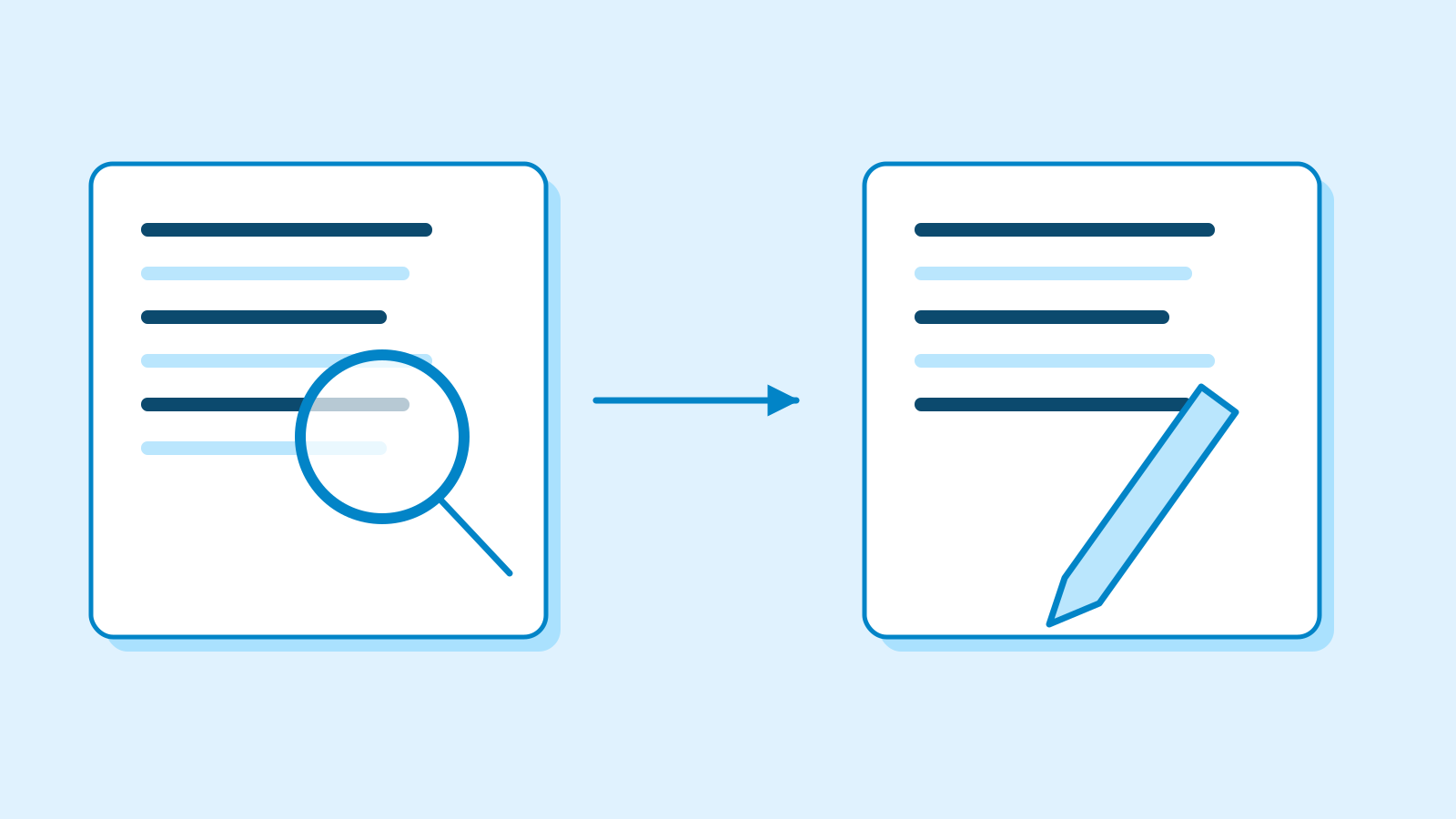
Figure: finding evidence and composing a reply are distinct processes even when combined · AI Ping Finding today's library hours calls for current evidence. Rewording a supplied visitor notice is a writing task. Some products combine retrieval and generation, so ask what evidence this particular reply used rather than assuming every answer is either a search result or entirely disconnected from sources.
If your note only says 'meet at 2 pm' and the draft says 'meet free of charge on Saturday at 2 pm', the day and fee are additions. Readability has improved neither their evidence nor their reliability. Separate supplied facts from newly constructed wording.
Three useful terms: model, prompt and context
A model is the core software that uses learned patterns to produce results. It is distinct from the whole app. An ordering screen and a restaurant kitchen offer a limited analogy: the service may also handle history, files or search. This is a way to distinguish roles, not a literal description of its architecture.
A prompt is your request in ordinary language. Context is the surrounding material available for that task, such as relevant messages and supplied notes. More context is not always better: mixing details from two events can make the intended task unclear.
For our invitation, the model produces the reply, the prompt asks for the invitation, and the notes supply context. If the venue is absent, add it. If two venues conflict, resolve the conflict. Switching model names does not settle contradictory source material.
Connect the terms to an invitation Term Plain meaning Our example Model Core software producing the result Generates text from instructions and context Prompt The request you send Write three sentences for a first-time visitor Context Information available for this task Date, venue, things to bring and relevant messages Why can fluent writing contain a factual mistake?
A large language model, or LLM, is trained on language data to generate text in context. A later lesson explores the mechanism. For now, the useful distinction is between producing fluent language and guaranteeing that each statement is true in the world.
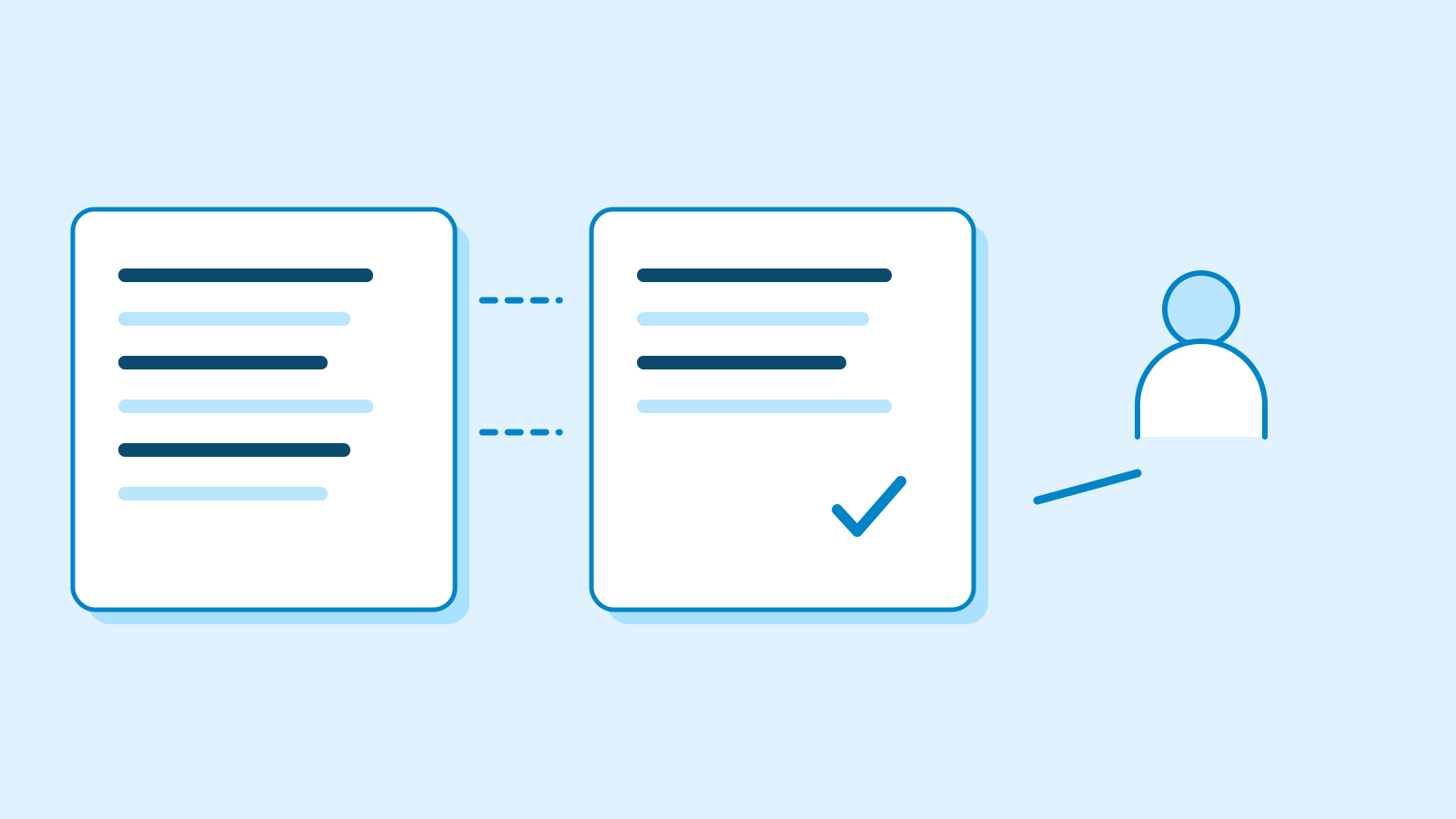
Figure: compare a fluent reply with the source before using it · AI Ping 'Free admission' might fit the style of an invitation without being supported by our event notes. A plausible unsupported factual claim is often called a hallucination. Remember the practical meaning rather than the terminology: look for facts with no evidence, including small changes to names or dates.
Compare the reply with the source, use arithmetic for a total, or consult the responsible organisation's current notice. Asking the same assistant whether it is sure may help expose an error, but it does not itself supply independent evidence. Be able to say how you checked.
2 / 4
Step-by-step use
Learn what to prepare, how to request help and how to revise the result through examples and explanations.
Start with tasks whose results you can inspect
Choose a small task whose source you understand: turn three notes into an invitation, shorten a request, or organise known items into a list. You can inspect the result. Starting with an unfamiliar long document makes it harder to distinguish knowledgeable writing from merely confident writing.
Compare two editorial requests. A: 'Write an event notice.' B: 'Write two sentences for a first-time visitor: meet November 7 at 2 pm in the community centre's meeting room and bring a book.' B supplies facts, audience and length. It makes the output checkable; it does not guarantee correctness.
You can learn from this comparison without running an app or submitting an answer. Decide which request supplies enough information, then read the explanation. Trying a tool later is optional. Different wording can be acceptable when the required facts remain intact.
3 / 4
Check & explain
Think about what you would ask AI, then read the explanation. Written submissions and external AI use are optional.
This is a learning check, not a test you must pass. Use the explanations to understand the ideas.
Q1Choose the better explanation. A. If the invitation reads well, the venue must be correct. B. Even a fluent invitation needs its venue checked against the source.
Write your thoughts (optional)
Your writing is not sent anywhere. It disappears when you leave or reload this page, so copy anything you want to keep.
Read the answer and explanation
B. Readability and venue verification are separate checks. Compare the generated venue with the one actually supplied.
This is your own review, not an automatic score.
Q2What do 'use two sentences' and 'November 7 at 2 pm' do? A. The first constrains the output; the second supplies a fact. B. Both are facts the assistant already knows.
Write your thoughts (optional)
Your writing is not sent anywhere. It disappears when you leave or reload this page, so copy anything you want to keep.
Read the answer and explanation
A. One sets an output requirement; the other supplies event information. The date and time are fictional practice values, not a real event schedule.
This is your own review, not an automatic score.
Q3You need today's library hours. A. Trust a confident AI answer. B. Check the library's current notice or responsible staff.
Write your thoughts (optional)
Your writing is not sent anywhere. It disappears when you leave or reload this page, so copy anything you want to keep.
Read the answer and explanation
B. You need current evidence from the organisation responsible. If an assistant retrieves a page, still check that it covers the right library and date.
This is your own review, not an automatic score.
Q4Which is an easier starting point? A. Delegate a long unfamiliar report and all factual judgment. B. Read a worked example using short notes you understand, then compare output and source.
Write your thoughts (optional)
Your writing is not sent anywhere. It disappears when you leave or reload this page, so copy anything you want to keep.
Read the answer and explanation
B. A small source with clear requirements makes the comparison understandable. You can begin by reading the example and explanation without running a tool.
This is your own review, not an automatic score.
Common mistakes
- Treating AI, the app and the model as identical terms.
- Taking fluent wording as verified fact.
- Assuming payment or programming is needed before learning the concepts.
Your learning record
Completion is optional. Mark this lesson when you feel ready, or move to the next lesson without marking it.
Completion is saved in this browser.
4 / 4
Apply to your work
Consider how new material changes the workflow and checking criteria. Trying an external AI tool is optional.
Try it: explain the idea in your own words
Imagine someone asks what generative AI does. Start with 'It creates an output such as text or an image from a request and supporting information', then use our invitation example. Add that the date and fee still need checking against evidence. Explain the task, not a list of buzzwords.
If you get stuck, return to the table. 'Use two sentences' is an instruction; 'November 7 at 2 pm' supplies a fact. They may share a message but play different roles. A well-written request can still contain an incorrect date.
Choose between the explanations in the questions below, or open the explanations immediately. The next lesson revisits these ideas through a first conversation. Later lessons cover inputs, instructions, errors, the mechanism and costs. Reading the worked examples is a valid way to begin.
Write a note (optional)
Use this only if you want to record a prompt or your understanding. This is a notebook, not a connected AI assistant.
Your writing is not sent anywhere. It disappears when you leave or reload this page, so copy anything you want to keep.
References
- What is Machine Learning? — Google for Developers
- Introduction to Large Language Models — Google for Developers
- Reduce hallucinations — Anthropic