Use AI to analyze interviews and reviews: trace evidence and test counterexamples
Classify thirteen interview, review and observation records with AI while deduplicating participants. Correct a recorded causal overstatement and recheck the memo against new version and access-policy evidence.
About 40 min readingAs of Oct 2026
Lesson guide · goals & preparation
By the end of this guide
- Preserve record IDs, participant IDs and versions when supplying mixed sources to AI.
- Distinguish records from people, observation from interpretation, and assisted from independent completion.
- Resolve coding disagreements by asking for exact evidence and alternative explanations.
- Revise conclusions using a new-version success and an intended access restriction.

Who this is for
- Readers who know basic AI chat and want to turn work material into a checked result
- Non-specialists who prefer to learn through a complete recorded exchange
What you need
- All people, products, interviews and numbers are fictional practice material authored for this lesson. No real customer data is required.
- Read the sources, recorded replies and explanations without an AI account or payment. Running the prompts in an assistant you already have is optional.
- The recorded run used Korean prompts requesting bilingual replies. English prompts provide equivalent instructions for optional practice; they were not separate English runs.
This lesson’s terms, in plain language
Read the short meanings here. Open a term for a fuller explanation and example.
- workflow
- A sequence of work with conditions for moving between steps.
- hypothesis
- An unverified idea that can be investigated through observation or a test.
- prompt
- The instructions you give an AI.
This reading lesson explains how to use external AI tools. Read from theory to the workflow, examples and explanations, or use the contents to jump to a section.
1 / 4
Theory
Understand what to ask AI to do, how to ask, and the ideas behind the workflow.
A shorter summary can still lose the evidence
You receive four interviews, six public reviews and three moderator observations about fictional Moa Notes. “Summarize the three main complaints” is an easy request, but interview I2 and review R2 describe the same incident from the same person. Counting the documents as two people makes the concern look more widespread than the source supports. This lesson asks AI to preserve who experienced what before compressing the material.
The workflow to understand is: Label interview and review sources → explain coding criteria → request themes with evidence → inspect counterexamples and coding disagreements → reconsider the scope of conclusions with new data. First learn why each input and constraint matters, then study the requests, finished examples and explanations. This is a reading lesson about external AI tools; no account or runtime is required.
Coding means attaching provisional labels to related scenes. Mistaking Next for payment might receive a first-use-guidance label. The label helps retrieval; it is not a confirmed causal diagnosis. A passage about an upload may reasonably carry both performance and completion-feedback codes. Forcing one correct label too early can erase plausible alternatives already present in the source.
Separate observation from interpretation. “The project appeared after another invitation” records a sequence. “Invitation permissions caused the issue” explains that sequence with a hypothesis. Compression can turn the first into the second. Request evidence IDs, exact quotations, interpretations, counterexamples and remaining questions side by side before asking for the polished summary.
In the actual Claude Sonnet 5.5 exchange, the first response overstates an access issue’s cause as invitation settings. A follow-up that revisits the source and coding disagreement narrows that claim. A final turn adds a success in a newer version and an intended permission restriction. Reading the unchanged replies alongside the editorial review shows where AI helps organize analysis and where a person must inspect its reasoning.
Keep record IDs separate from participant IDs
I identifies an interview, R a review and O an observation. A participant value such as U01 identifies a person. I2 and R2 belong to U02; I3 and O2 to U03. There are thirteen records but eleven people. Duplicate participation does not make a document useless: an interview and observation can complement one another. It means the second record must not add another person to a participant count.
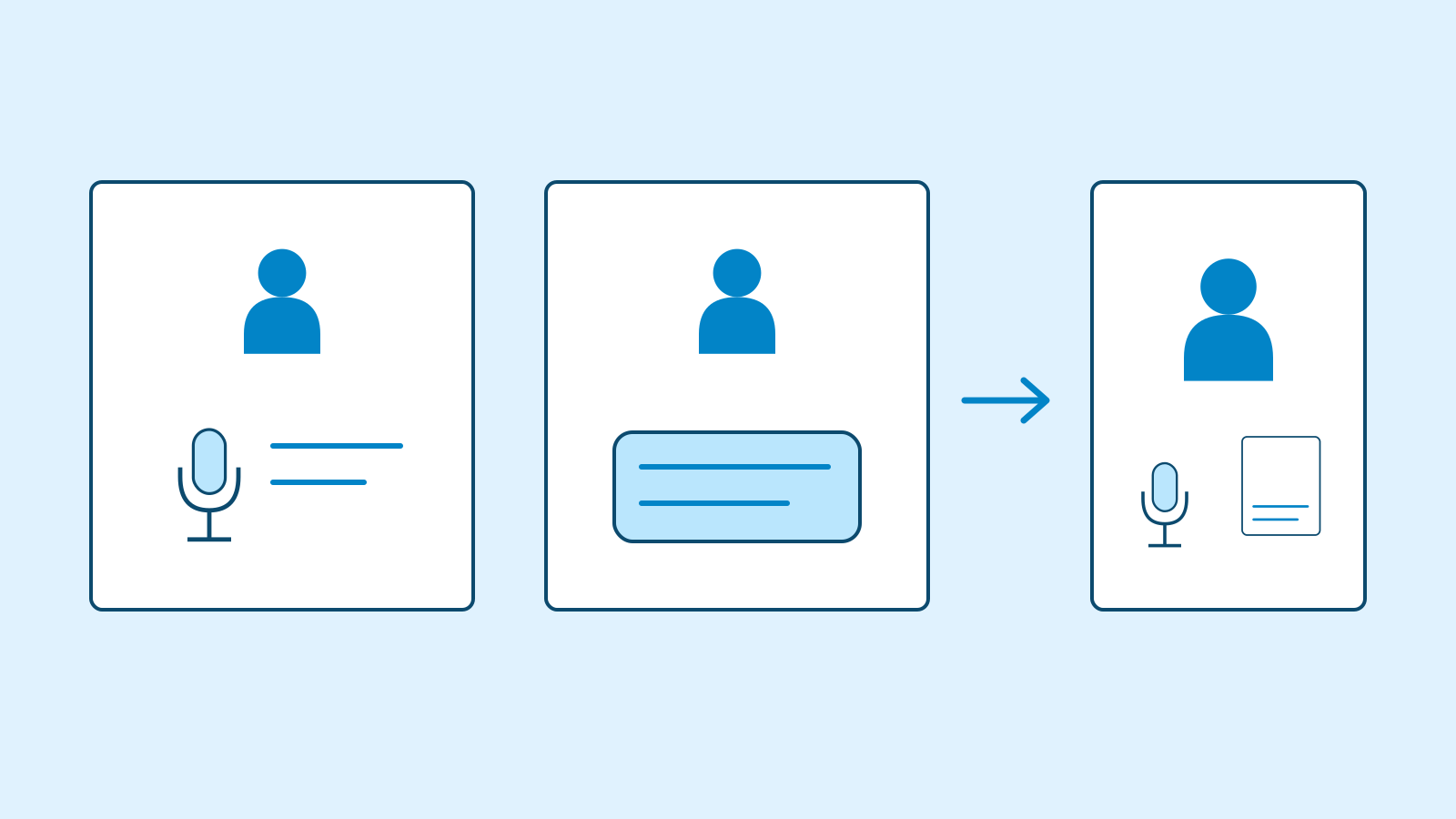
Figure: An interview and review from the same person stay as two records under one participant, avoiding a duplicate person count. · AI Ping The source header states that the entire initial pack concerns fictional Moa Notes v2.1. Version is a scope condition. Extracting isolated sentences can lose it, so include shared document context alongside record IDs. If real material must be sent in several batches, preserve this common metadata in each batch rather than expecting the assistant to reconstruct it later.
Completion also needs more than a yes/no field. U06 completes first-team creation independently in R3. U02 completes after a colleague’s explanation; U11 after the moderator’s. I4 and O1 describe keyboard saving that required another person or a supplied mouse. A summary retaining only “saved” turns a blocked independent action into a success. Preserve the task and assistance condition, not merely the final state.
The table maps key records; the download contains all thirteen. Keep the experienced search user I1 and successful first-time user R3 alongside the difficult cases. They prevent “everyone is confused” and suggest questions about differing conditions. This purposive fictional pack is not a representative survey from which to estimate the proportion of all customers affected.
Source map to check before coding Records People Condition to preserve I2 + R2 One person, U02 Same incident; completed after colleague help I3 + O2 One person, U03 Visible after invitation checks; cause separate I4 + O1 U04 and U10 Keyboard saving required help or a mouse R3 U06 Independent first-team completion R1 + R6 U05 and U09 No timed delay or confirmed first-upload failure I1–I4 / R1–R6 / O1–O3 11 unique people 13 fictional records, v2.1
2 / 4
Step-by-step use
Learn what to prepare, how to request help and how to revise the result through examples and explanations.
First request: obtain quotations and interpretations side by side
The first prompt asks for seven columns rather than a complaint summary: theme, evidence IDs, observation, interpretation, unique participants, counterexamples and remaining questions. Each has a purpose. IDs locate the source; observations retain what it says; interpretations expose added explanation. Counterexamples and questions preserve what the emerging conclusion does not yet account for.
Claude distinguishes thirteen records from eleven people and identifies both duplicate pairs. Its first-use theme contains U02 and U11, retaining U06 as an independent-success counterexample. Its keyboard-saving theme contains U04 and U10. The editor checks these IDs and assistance conditions against the input. A plausible participant count still needs a traceable membership list; otherwise duplication can hide behind a correct-looking number.
The problematic claim appears under missing projects: “the cause is invitation settings.” I3 reports that settings changed and O2 records visibility after a check, but there is no pre-change recording or confirmed setting difference. R4 establishes sequence after reinvitation, not cause. Narrow this to a hypothesis requiring investigation of invitation and access state. An event occurring before another is insufficient evidence of causation.
The reply also suggests the similar-document-name risk may be low because people recovered using dates, labeling that as conjecture. Recovery alone does not establish that opening the wrong draft had little impact. Asking for a separate interpretation column exposes this addition instead of blending it into fact. Read the actual answer for both successful extraction and the claims that require a more focused follow-up.
Example prompt This is a fictional teaching case. Analyze only this text, without outside sources, files or tools. Use only the supplied research material. Verify 13 records versus 11 unique participants. Produce a theme table with evidence IDs, exact observations, interpretation, unique participants, counterexamples and remaining questions, then two priorities for further checking. Quote exactly. Deduplicate people and do not count moderator-assisted completion as independent. Invent no population percentages, unmeasured timings or capabilities. Fictional Moa Notes v2.1 research material. Every interview, review and observation was authored for practice. There are 13 records and 11 unique participants. Matching participant IDs mean the same person. This purposive sample cannot estimate population prevalence. I1 | participant U01 | experienced-user interview | I manage four projects and usually find documents by entering two words in search. I used search often in my previous app, so its location was familiar. When a new colleague asks where a folder is, I point out search. My ease does not mean a newcomer will find it equally easy. For similar document names I use the date. I have no experience with very large file collections. I2 | participant U02 | first-use interview | I followed an invitation and entered a team name. Pricing text next to Next made me think clicking would pay. I did not want to enter card details and closed the window. I am not saying I was actually charged. The next day a colleague explained this was team setup, and I finished. Repeating it on my account no longer recreates first use. My review also described uncertainty about that next screen. I3 | participant U03 | read-only-user interview | A colleague's project was absent, so I thought search was broken. It appeared after an administrator checked the invitation permissions. I cannot remember the exact search terms before that change. I only read documents and never tried editing. Another similarly named project was visible throughout. I guessed search was the issue, but the invitation setting was what changed. I4 | participant U04 | keyboard-user interview | Holding a mouse for long is difficult, so I use Tab. I entered a title and body, but focus moved away when I tried to reach Save. More keys returned me to the beginning. At home someone else clicked Save for me. I did not count keystrokes. I saw no shortcut instructions and do not know whether a shortcut exists. Saving independently matters to me. R1 | participant U05 | public review | After uploading a 2,000-row CSV the screen seemed frozen for a long time; I did not time it. I did not notice this with small files. A completion indication would help. R2 | participant U02 | public review | I closed the screen after the team name because it appeared to lead to payment. A colleague explained it. Same person and incident as I2. R3 | participant U06 | public review | I completed my first team independently and was not confused about what to click. I have not tried document search. R4 | participant U07 | public review | I asked support because a colleague's project was missing. It appeared after another invitation. I did not check search speed. R5 | participant U08 | public review | Similar document names led me to an old draft. I used the modification date to choose again. I do not know whether results can be sorted. R6 | participant U09 | public review | I uploaded a file again because I could not find a completion message. I do not know whether the first upload failed. O1 | participant U10 | moderator observation | In v2.1, keyboard focus skipped Save after entering the body. The moderator supplied a mouse, and the participant saved. Do not count this as independent completion. O2 | participant U03 | moderator observation | Same person as I3. The project appeared after invitation settings were checked. Search was not changed. No recording of the pre-change state exists. O3 | participant U11 | moderator observation | During first-team setup the participant paused before Next. After the moderator said it was another setup step, not payment, the participant completed. Separate this from independent completion.
Worked example & explanation This is recorded response 1 from Claude Sonnet 5.5 on 28 October 2026. The Korean prompt requested both languages; this is the English portion of that same response, reproduced without editing. The surrounding explanation and checked deliverable are editorial writing.
Example responseA teaching example of a workflow in an external AI tool. Results vary with the request and context.
1. Verification
- 13 records (I1–I4, R1–R6, O1–O3) = 11 unique participants (U01–U11). R2 = I2 (U02) and O2 = I3 (U03) are the same people and events, so they are not new participants (13 − 2 = 11).
- Purposive sample: no rates or population estimates; counts of people only.
- Only U06 (R3) finished independently. U02 (colleague explained), U11 (facilitator explained), U10 (facilitator handed over a mouse), and U04 (someone else clicked) finished with help, so none count as independent completion.
2. Evidence by theme (observation = source wording; interpretation = inference)
Theme IDs Direct observation Interpretation (inference) Unique Counter-case Open question First-team “Next” I2, R2, O3 U02 “누르면 결제가 되는 줄 알았다” (thought it would charge); U11 “다음 버튼 앞에 멈췄다” (stopped before Next) Plan text may have hidden the step’s purpose 2 (U02, U11) U06, R3: “혼자 끝냈다” (finished alone) U02 cannot reproduce; screen difference vs U06 unchecked; no actual charge reported Keyboard save I4, O1 U04 “저장 버튼으로 갈 때 순서가 화면 밖으로 넘어갔다” (order left the screen); U10 “Tab 이동이 저장 버튼을 지나쳤다” (Tab skipped Save) Possible Tab-order problem 2 (U04, U10) None in data (not proof none exist) Key presses uncounted; shortcut existence unknown Project not visible I3, O2, R4 U03 “바뀐 것은 초대 설정이었다” (the invite setting changed); U07 “초대를 다시 받고 보이기 시작했다” Cause was invitation; no evidence of a search defect 2 (U03, U07) I3 “비슷한 이름의 다른 프로젝트는 계속 보였다”; R4 “검색이 느렸는지는 확인하지 않았다” U03’s pre-change query and recording absent Upload completion R1, R6 U05 “화면이 오래 멈춘 듯했다. 시간을 재지는 않았다” (felt frozen; not timed); U09 “완료 안내를 못 찾아 같은 파일을 다시 올렸다” (re-uploaded) Completion signal may be unclear; speed cannot be judged 2 (U05, U09) R1 “작은 파일에서는 못 느꼈다” (small files fine) Did U09’s first upload fail (“확인하지 못했다”)? Actual delay? Similar document names I1, R5 U01 “이름이 비슷할 때는 날짜를 보고 고른다”; U08 “오래된 초안을 열었다”, then re-picked by date Self-recovered via dates; likely lower risk (inference) 2 (U01, U08) I1 finds docs “대체로”; “처음 온 사람도 그렇다고 보지는 않는다” (do not generalize to newcomers) Sorting? U08 “모르겠다”; U01 never tried very many files 3. Two problems to check first
- Keyboard save: both unique participants could not complete the core action, saving, alone. U04: “혼자 저장까지 할 수 있는지가 내게는 중요하다.” Check: reproduce the Tab order; verify whether a shortcut exists (do not assume one).
- First-team “Next”: two people stalled or quit early (U02 “창을 닫았다”). Since U06 finished alone, find which conditions trigger the confusion.
Priority reflects impact and evidence strength, not frequency. Invisible projects point to invite settings first; upload delay was never timed, so it ranks lower.
Resolve a coding disagreement by returning to the source
D1 introduces a disagreement: reviewer A codes R4 as search failure, reviewer B as invitation/access permissions. Do not ask AI to settle this by vote. Ask whether the source actually mentions using search or observing failure, and what it says changed after reinvitation. The important question is which evidence a label would assert.
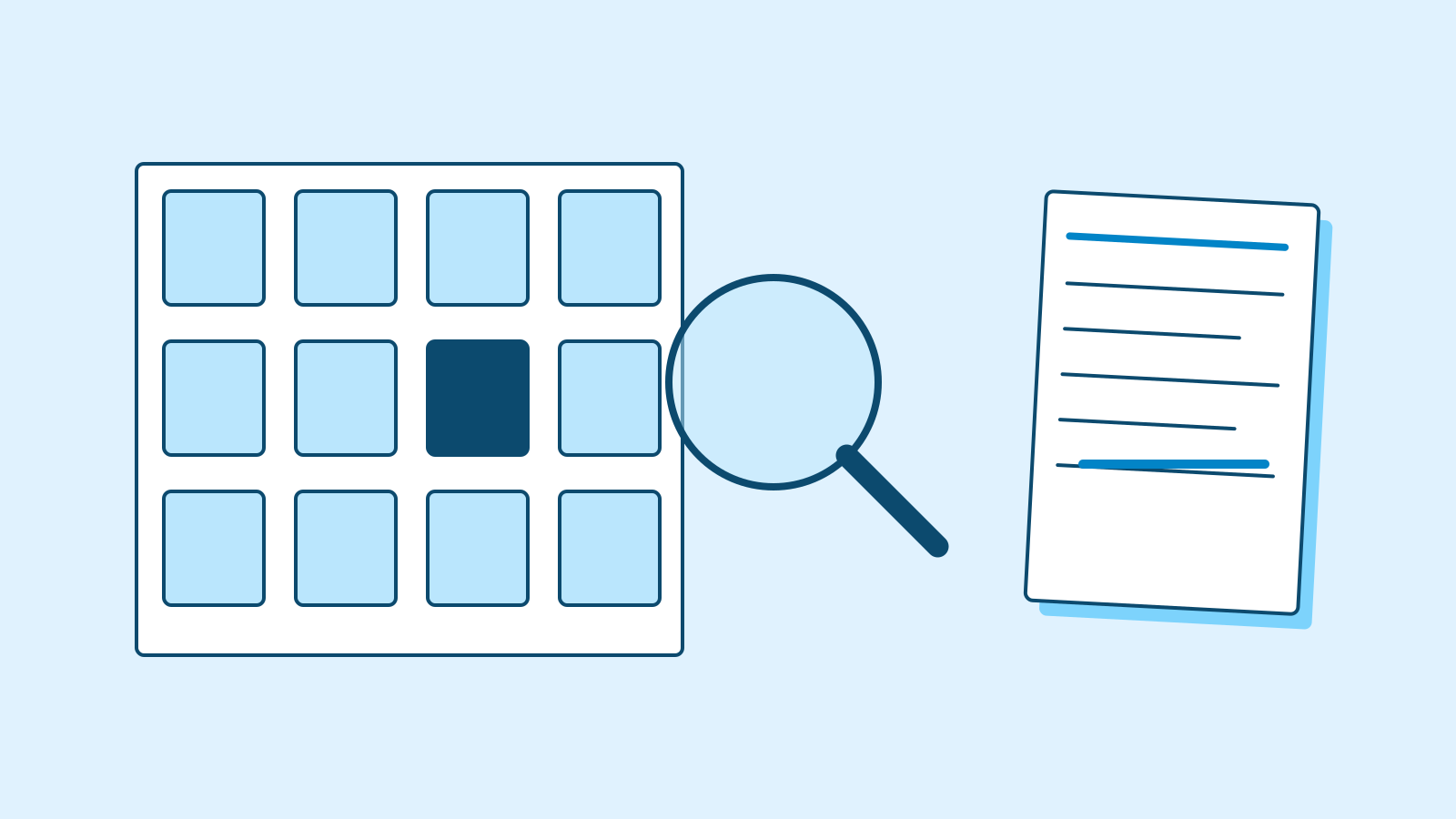
Figure: A differing experience is pulled out of the grouped records so its original wording and conditions can be checked. · AI Ping The follow-up extracts the sequence “not visible → support contact → visible after reinvitation.” It notes that search use or failure is absent and that invitation causality is unconfirmed, proposing a provisional visibility label. In plain language, the final memo can say “project not visible; cause still unknown.” A technical-sounding code is useful only if readers understand the evidence boundary it preserves.
Keep two codes for R1. The impression of freezing after a 2,000-row CSV supports a large-file-performance question; the request to know when upload finishes supports a completion-feedback question. No timed delay is supplied. New interview N1 concerns an outdated help screen confusing U12 about a button. That alternative deserves retention, but U12 did not report a missing project, so it cannot establish the cause of I3/R4.
N1 raises the totals to fourteen research records and twelve unique participants. D1–D3 are review instructions, not new participants or interviews. Treating an AI-produced coding table as another research record would inflate the evidence. Keep source observations, analyst instructions and product policy in separate categories. A targeted request to revisit particular statements is more inspectable than an unspecific request for greater detail.
Example prompt Revise the analysis using the coding disagreement and new record. Ground R4 in exact source language, separating observation from causal hypothesis. Preserve R1's multiple codes and N1's alternative explanation. Update record and unique-participant totals. Deliver a product-team research memo with observed scenes, evidence, counterexamples, verification questions, revised interpretations and unknowns. Do not remove counterexamples for a stronger narrative. D1 | Reviewer A codes R4 as search failure; reviewer B codes it as invitation/access permissions. Resolve by source evidence and separate observation from hypothesis, not a vote. D2 | R1 may receive both large-file performance and completion-feedback codes. Do not invent an unmeasured delay. N1 | participant U12 | additional interview | The v2.1 help page showed an older invitation screen. I asked an administrator which button to use on the new screen. I did not test whether my permissions were wrong. D3 | Report record counts, unique participants, independent completion and counterexamples separately. A suggested support investigation is not research already performed.
Worked example & explanation This is recorded response 2 from Claude Sonnet 5.5 on 28 October 2026. The Korean prompt requested both languages; this is the English portion of that same response, reproduced without editing. The surrounding explanation and checked deliverable are editorial writing.
Example responseA teaching example of a workflow in an external AI tool. Results vary with the request and context.
Moanote v2.1 research memo (fictional teaching case) 14 records (4 I, 6 R, 3 O, 1 N), 12 unique participants (U01–U12). R2 = I2 and O2 = I3 are duplicates: 14 − 2 = 12. D1–D3 are review notes, not records or participants. Only U06 (R3) is confirmed as an independent completion. Purposive sample; no rates estimated.
1. Confirmed scenes
- U02: “누르면 결제가 되는 줄 알았다” (thought pressing it would charge); finished after a colleague explained. U11 finished after the facilitator explained.
- U04 and U10 could not reach Save by Tab; someone else’s or the facilitator’s mouse saved.
- U03 and U07: projects invisible until invite check / re-invite.
- U05: “화면이 오래 멈춘 듯했다” (screen seemed frozen); U09 re-uploaded. U12 asked an admin.
2. Evidence table (records/unique · independent completion · counter-case)
Theme Records/unique Independent Counter-case First-team “Next” I2,R2,O3 / 2 0 U06, R3: “혼자 끝냈다” (finished alone) Keyboard save I4,O1 / 2 0 None in data Project not visible I3,O2,R4 / 2 n/a I3: “비슷한 이름의 다른 프로젝트는 계속 보였다”; R4: “검색이 느렸는지는 확인하지 않았다” Upload (R1 dual-coded: performance + completion notice) R1,R6 / 2 Not recorded R1: “작은 파일에서는 못 느꼈다” (small files fine) Similar names I1,R5 / 2 Recovered alone via dates I1: “대체로 찾는다” (mostly finds) Invite guidance N1 / 1 Not recorded Single case 3. Disputed coding (observation vs. hypothesis)
R4: “동료 프로젝트가 안 보여 고객센터에 문의했다. 초대를 다시 받고 보이기 시작했다.”
- Observation: invisible → contacted support → visible after re-invite. Whether search was used or failed is not in the text.
- Hypothesis, reviewer 을 (invite/access): the sequence supports it; causation unconfirmed.
- Hypothesis, reviewer 갑 (search failure): no sentence directly supports it. “검색이 느렸는지는 확인하지 않았다” means speed unchecked, not evidence of failure. No vote: both stay unresolved, and R4 is coded “visibility (cause unresolved)”.
R1: “화면이 오래 멈춘 듯했다. 시간을 재지는 않았다” is an impression, so the delay is unknown. “업로드가 끝났는지 알려 주면 좋겠다” is a completion-notice request. Both codes kept.
N1 alternative explanation: invite confusion may come from an outdated guide rather than permissions. But “권한 자체가 잘못됐는지는 검사하지 않았다”, and the symptom (which button to press) differs from U03/U07, so N1 cannot explain invisible projects.
4. Priority verification questions (proposals; none conducted)
- Can keyboard users reach and complete Save alone? Reproduce the Tab order; check whether a shortcut exists.
- Does the plan text read as a charge? What differs for U06?
- Is invisibility caused by invite state or search? Proposal: ask support to check U07’s invite state.
- Measure completion time and completion indication for a 2,000-row upload.
5. Revised interpretations
- Records 13 → 14; participants 11 → 12.
- “Cause was the invite setting” now applies only to U03’s own statement; R4 shows sequence only.
- Upload: dual coding instead of a speed claim. Added an outdated-guide hypothesis for invites.
6. Unknowns
Population rates; U03’s pre-change query and recording; whether R4 used search; what the re-invite actually changed; upload delay and whether U09’s first upload failed; key-press counts and shortcut existence; whether U12 finished; search behavior with very many files.
Build a research memo the product team can act on
The finished memo should not stop at “users dislike search and onboarding.” State the scope: fourteen fictional v2.1 records from twelve people. Then describe blocked independent saving, confusion about payment and missing projects appearing after reinvitation, each with evidence IDs. The table and download are editorially checked deliverables based on the second actual response.
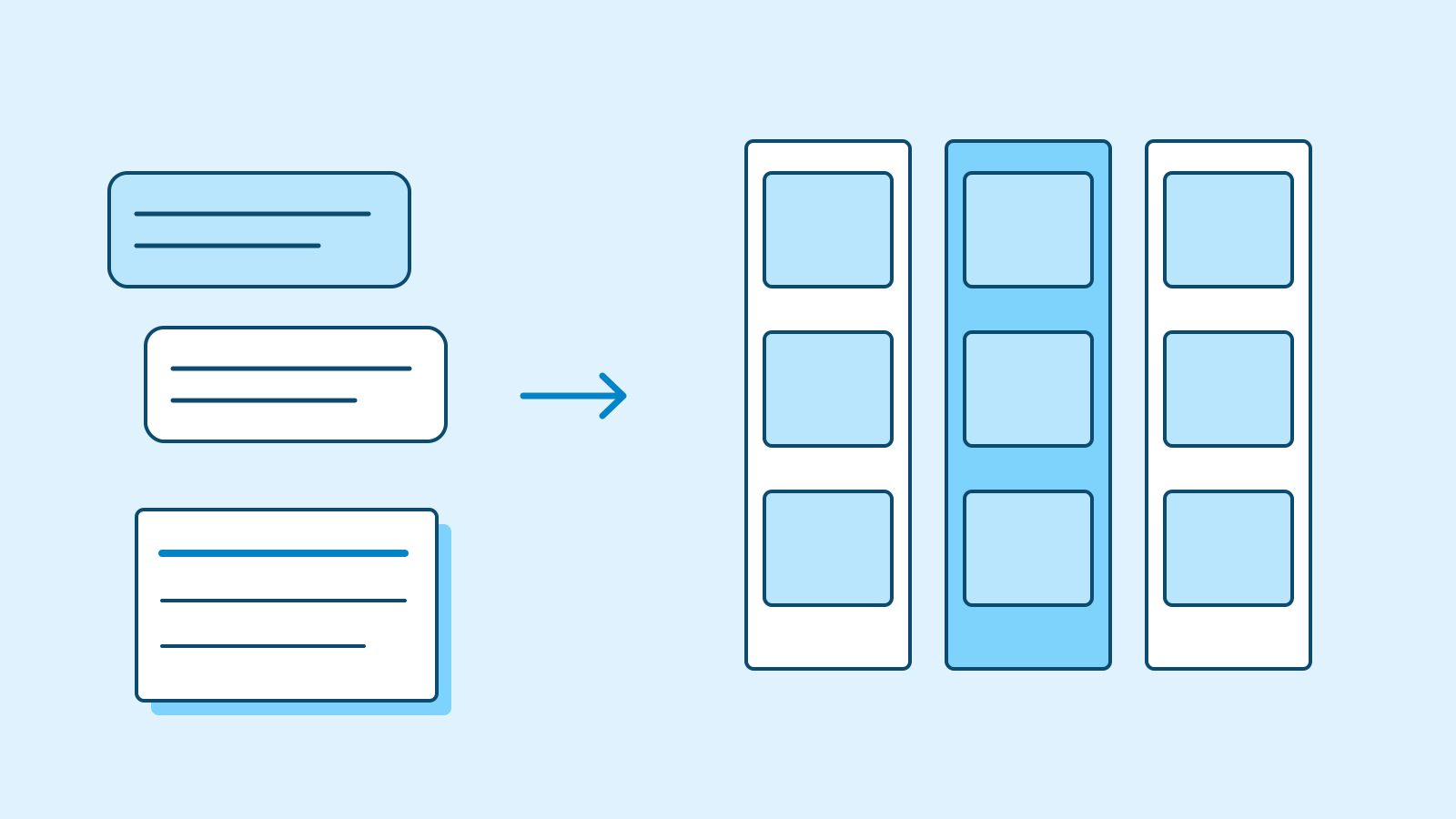
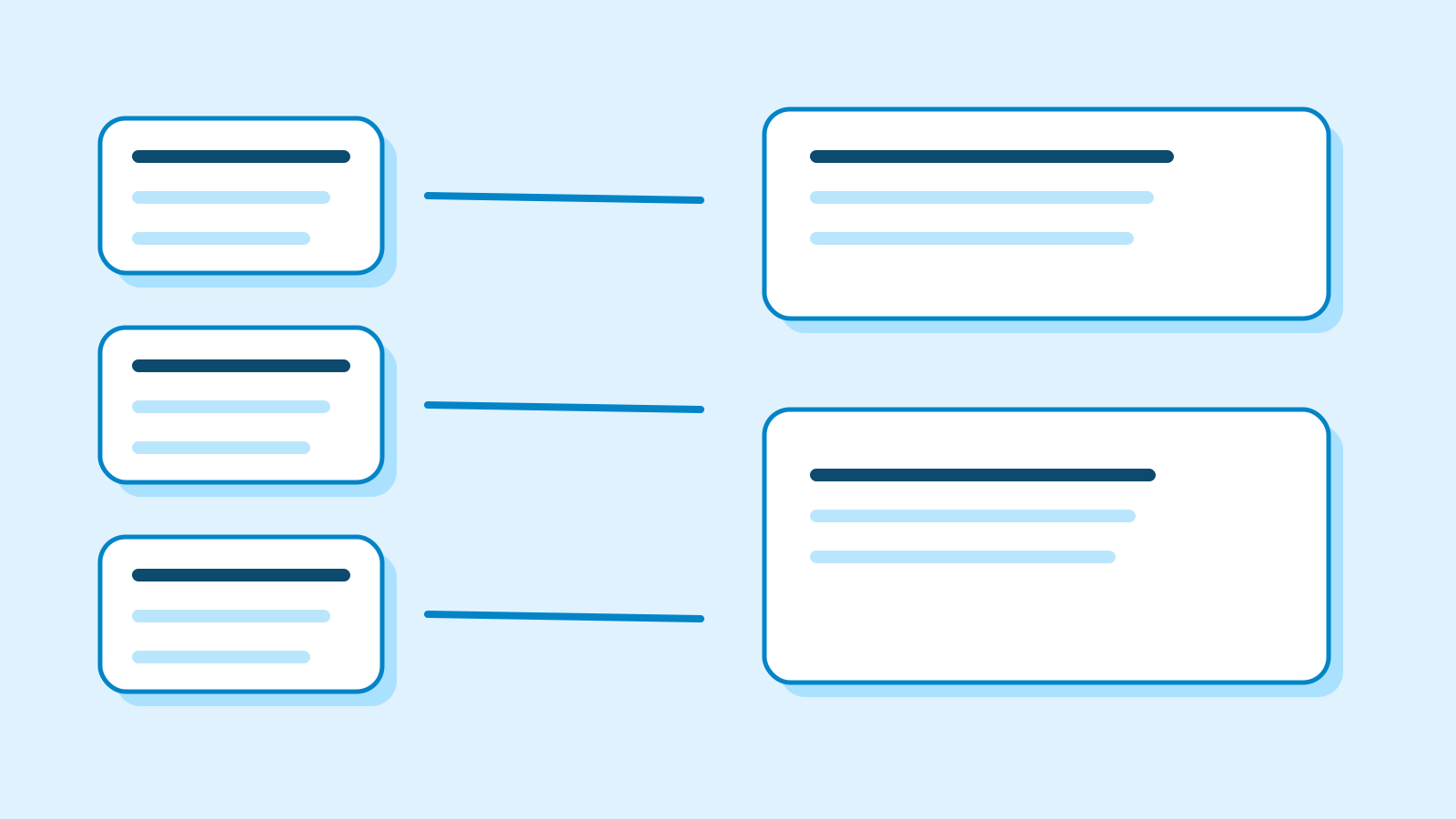
Figure: A research memo groups interviews, reviews and observations while keeping each conclusion traceable to its sources. · AI Ping The first verification questions concern keyboard-only saving and whether the next setup step appears to be payment. These are not selected because a representative survey found them most common. The pack contains concrete blocked tasks and supports a specific next investigation. Ask AI to explain the strength of evidence and impact judgment behind its priorities; frequency of mentions alone does not establish a product roadmap.
Place counterexamples beside the claim: U06 independently completed first use, while U01 generally succeeds at search. Success does not erase a failure, and failure does not erase success. The contrast motivates questions about conditions. We do not yet know whether U06 and U02 saw equivalent screens. Record a proposed comparison rather than implying AI has already conducted it.
List the remaining unknowns specifically: population prevalence, timed upload duration, whether U09’s first upload failed, shortcut availability and the setting changed during reinvitation. These gaps identify the evidence needed for the next decision. Fluent summarization can smooth them away; retaining them in the deliverable prevents another person from inheriting unstated assumptions as facts.
Key parts of the editor-checked research memo Question Evidence and present interpretation Next check Keyboard saving I4/O1; two people; assisted completion Reproduce v2.1 flow; check independent saving First-team guidance I2/R2/O3; two people; R3 independent success Compare conditions and payment interpretation Project not visible I3/O2/R4; two people; unknown cause What reinvitation actually changed Upload state R1/R6; two people; performance and feedback codes Measure time and completion indication Help content N1; one person; outdated screen description Compare help with current UI Use a new success and product policy to narrow the claims
Holdout H1 records U13 independently saving with a keyboard in v2.2. That is important new evidence, but it does not retroactively erase the v2.1 difficulties in I4/O1. Ask AI to separate versions rather than jumping to “fixed” or “the earlier observation was wrong.” The change history and a comparable retest remain unavailable.
H2 describes viewer U14 being unable to enter owner administration. Q1 explicitly defines this as intended access control, so the restriction alone is not a defect. But I3/R4 concern project-list visibility, while Q1 concerns an administration screen. Similar everyday wording about access does not establish the same mechanism. One new policy cannot reclassify all earlier access problems as expected behavior.
The third recorded reply separates version-specific saving from intended restrictions and sorts earlier claims into retain, narrow and defer. It also separates independent completion by task: U06’s first-team setup and U13’s v2.2 saving. Totals become sixteen research records and fourteen people. Q1 is product policy, not another participant observation. Classify the role of new evidence before updating the counts and conclusions.
One statement still needs checking: the reply says I4 lacks a version in its body and H1 classifies it as v2.1. The original source header already scopes the entire initial pack to v2.1. The checked conclusion cites that shared context. Even an assistant that follows individual quotations can miss document-level conditions, so review headers and the scope of the whole source pack as well as isolated sentences.
New evidence for checking the classification Record New condition What it does not establish H1 / U13 Independent keyboard saving in v2.2 Does not erase v2.1 difficulties H2 / U14 Viewer blocked from owner administration Does not explain every earlier missing project Q1 Policy defining intended access restriction Not another person or observation Download the complete material
Example prompt Check this holdout against the analysis. Separate keyboard-saving conclusions by version and intended access restrictions from confirmed defects. Identify claims to retain, narrow or defer with IDs, then propose the next verification questions. Do not erase older observations because one new user succeeds or declare every access problem to be expected permission behaviour. H1 | participant U13 | new observation | In v2.2 the participant saved independently with a keyboard. I4/O1 concern v2.1. This does not retroactively disprove the older observations. H2 | participant U14 | new interview | A viewer could not enter owner-only administration. Q1 defines that restriction as intended access control. Whether I3/R4 share the same cause is unknown. Q1 | product policy | Viewers cannot access owner-only administration. That restriction alone is not a defect.
Worked example & explanation This is recorded response 3 from Claude Sonnet 5.5 on 28 October 2026. The Korean prompt requested both languages; this is the English portion of that same response, reproduced without editing. The surrounding explanation and checked deliverable are editorial writing.
Example responseA teaching example of a workflow in an external AI tool. Results vary with the request and context.
Moanote research memo update (holdout comparison, fictional teaching case) 16 records (4 I, 6 R, 3 O, 1 N, 2 H), 14 unique participants (U01–U14). R2 = I2 and O2 = I3 are duplicates: 16 − 2 = 14. Q1 is a policy document, not a record or participant. Independent completions are per task: U06 (first team, R3) and U13 (v2.2 save, H1). Purposive sample; no rates estimated.
1. Keyboard save by version
Version Records/unique Independent Conclusion Limits v2.1 I4, O1 / 2 0 “저장 버튼으로 갈 때 순서가 화면 밖으로 넘어갔다” (order left the screen); “Tab 이동이 저장 버튼을 지나쳤다” (Tab skipped Save). Failure to save alone observed Cause is a hypothesis. I4’s text gives no version; H1 classes it as v2.1 v2.2 H1 / 1 1 (U13) “키보드로 저장까지 혼자 완료했다” (saved alone by keyboard) One person. What changed and U13’s conditions are unknown U13 is a single v2.2 success. It does not erase the v2.1 observations, does not show v2.1 had no defect, and does not establish that v2.2 fixed anything.
2. Intended restriction vs. problem
- Intended restriction: U14, in a view-only role, could not enter the owner-only admin screen (H2). Q1 states this is intended permission, so it is not a defect.
- Problem confirmed by observation: v2.1 keyboard-save failure (I4, O1). Without reproduction, no root-cause-confirmed defect exists yet.
- Unclassified: invisible projects (I3, O2, R4). Q1 covers admin-screen access, not project-list visibility. U03 saw the project after an invite check, but whether the earlier state was an error or a proper restriction is unknown. H2 itself says it is unknown whether the invite problem has the same cause. Access problems as a whole are not declared normal permissions.
3. Earlier statements
- Keep: first-team “Next” confusion, 2 people, with counter-case U06 (I2, R2, O3, R3); upload dual coding (R1, R6); similar document names (I1, R5); R4 coded “visibility (cause unresolved)” (R4).
- Narrow: “only U06 completed independently” → per task, U06 and U13 (R3, H1); keyboard-save problem → v2.1 only (I4, O1); “cause was the invite setting” → U03’s own statement only (I3, O2).
- Hold: Tab-order cause (I4, O1); whether v2.2 improved (H1); outdated-guide hypothesis (N1); whether U14 and I3/R4 share a cause (H2, I3, R4); search-failure hypothesis (R4).
4. Next verification questions (proposals, not conducted)
- Did the Save focus order change between v2.1 and v2.2? Check change records.
- Using U04’s and U10’s procedure (type body, then Tab), can several keyboard users save alone in v2.2?
- Proposal: ask support to check U03’s and U07’s invite state; separate the admin-screen limit (Q1) from list-visibility rules.
- Did U14 understand from the screen why access was limited? (Not checked.)
5. Unknowns
Population rates; what changed in v2.2; U13’s input conditions; U03’s pre-change query and recording; what the re-invite changed; upload delay; whether U12 and U14 finished their tasks.
3 / 4
Check & explain
Think about what you would ask AI, then read the explanation. Written submissions and external AI use are optional.
This is a learning check, not a test you must pass. Use the explanations to understand the ideas.
Q1I2 and R2 describe the same U02 incident. How should you correct an AI claim that thirteen people were studied?
Write your thoughts (optional)
Your writing is not sent anywhere. It disappears when you leave or reload this page, so copy anything you want to keep.
Read the answer and explanation
Request thirteen records and eleven unique participants. I3/O2 also repeat U03, so both duplicate pairs must be removed from the person count. The data are fictional practice material and cannot estimate population prevalence.
This is your own review, not an automatic score.
Q2R4 says the project appeared after reinvitation. How should “invitation permissions caused it” change?
Write your thoughts (optional)
Your writing is not sent anywhere. It disappears when you leave or reload this page, so copy anything you want to keep.
Read the answer and explanation
Narrow it to “visible after reinvitation; cause unconfirmed.” The source gives a sequence without documenting what the invitation changed. Neither a permission cause nor a search defect is established; investigate the actual state change.
This is your own review, not an automatic score.
Q3O1 completes saving after the moderator supplies a mouse. What is lost if AI counts independent completion?
Write your thoughts (optional)
Your writing is not sent anywhere. It disappears when you leave or reload this page, so copy anything you want to keep.
Read the answer and explanation
It erases both the keyboard-only blockage and the assistance condition. Record final saving separately from independent task completion. Do not turn this fictional v2.1 observation into an unassisted success.
This is your own review, not an automatic score.
Q4One v2.2 user succeeds in H1, and Q1 defines a restriction as intended. Can all earlier problems be removed?
Write your thoughts (optional)
Your writing is not sent anywhere. It disappears when you leave or reload this page, so copy anything you want to keep.
Read the answer and explanation
No. One fictional new-version success does not erase I4/O1, so separate versions. Q1 concerns owner administration and does not explain project-list visibility in I3/R4. Retain observations while keeping unverified causes open.
This is your own review, not an automatic score.
Common mistakes
- Counting documents as distinct participants
- Turning a sequence into a confirmed cause
- Compressing assisted completion into independent success
- Using a new version or different screen to erase every earlier problem
Your learning record
Completion is optional. Mark this lesson when you feel ready, or move to the next lesson without marking it.
Completion is saved in this browser.
4 / 4
Apply to your work
Consider how new material changes the workflow and checking criteria. Trying an external AI tool is optional.
Try it: rebuild a claim from one line of evidence
Begin with R4 alone. It says a colleague’s project was missing, support was contacted and another invitation preceded visibility. Make observation and hypothesis columns: the sequence belongs in the first, an invitation/access explanation to investigate in the second. Identify what further evidence would justify a firm search-defect claim. No tool is needed to understand this distinction before reading the larger evidence table.
For optional AI practice, paste the first request with all thirteen source records. Check thirteen records versus eleven people, repeated U02 participation and assisted saving before evaluating its broader themes. Then add the disagreement plus N1, followed by H1/H2/Q1. You do not need bilingual output for your own run. Use a language you can inspect and preserve links to the original material.
Different code names are not automatically wrong. “Project visibility” and “project not shown” can describe the same observation, while “search defect” asserts a stronger cause. Inspect what the label implies. Ask for a one-sentence inclusion rule and exclusion rule when adding a code so another reviewer can explain disagreements on the same evidence.
Finish with one finding, its IDs, one counterexample and one next question. For example, describe assistance needed for v2.1 keyboard saving using I4/O1, keep H1’s v2.2 success separate and propose a comparable retest. Do not expand a summary into a conclusion about all users. Completion means being able to say which interpretations to retain, narrow or defer when the evidence changes.
Write a note (optional)
Use this only if you want to record a prompt or your understanding. This is a notebook, not a connected AI assistant.
Your writing is not sent anywhere. It disappears when you leave or reload this page, so copy anything you want to keep.
References
- Prompting best practices — Anthropic
- Reduce hallucinations — Anthropic
- Initial fictional source pack — AI Ping
- Clarification for the second turn — AI Ping
- Holdout conditions — AI Ping
- Editor-checked final deliverable — AI Ping
- Recorded Claude response 1 — AI Ping
- Recorded Claude response 2 — AI Ping
- Recorded Claude response 3 — AI Ping